Autodesk Forma issues inside AutoCAD Plant 3D
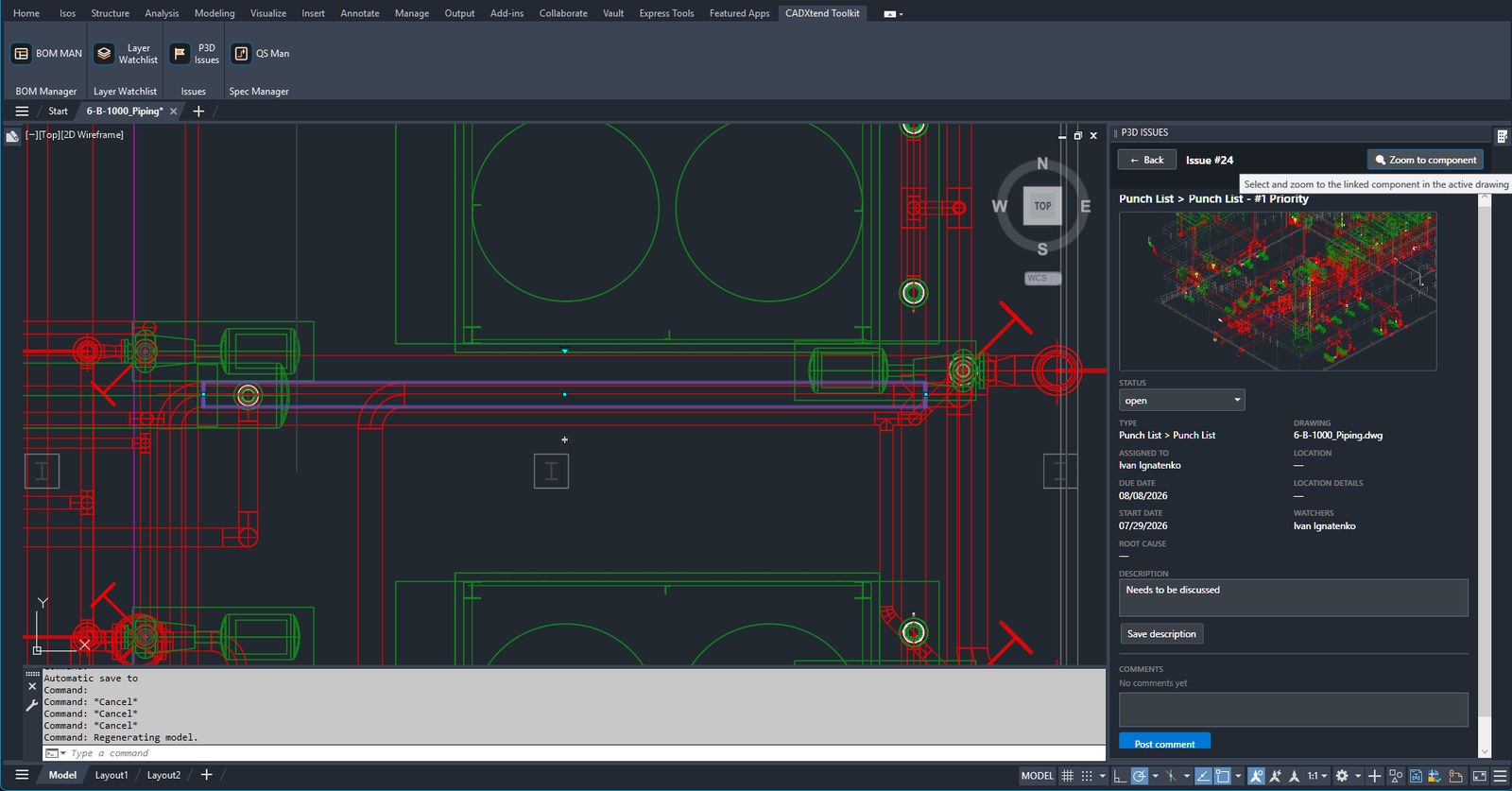
Review, filter and resolve your project's Forma issues in the drawing you are already working in. Click an issue and the flagged component is selected and zoomed in the active drawing — no browser, no alt-tabbing, no hunting for the right line.
30 days, no payment up front. Installs as a standard Autodesk application bundle.
- Works with
- Plant 3D 2025–2027AutoCAD Plant 3D, Windows
- Price
- From $19/monthPer seat, via Autodesk Marketplace
- Trial
- 30 days freeNo payment up front
- Your data
- Stays with AutodeskNo CADXtend server, no telemetry
What it does
Everything below happens in a palette docked beside your model, on the issues of your own Autodesk Forma project.
Jump to the flagged component
Open an issue and the linked component is selected and zoomed in the active drawing, with the full issue record beside it.
Change status in place
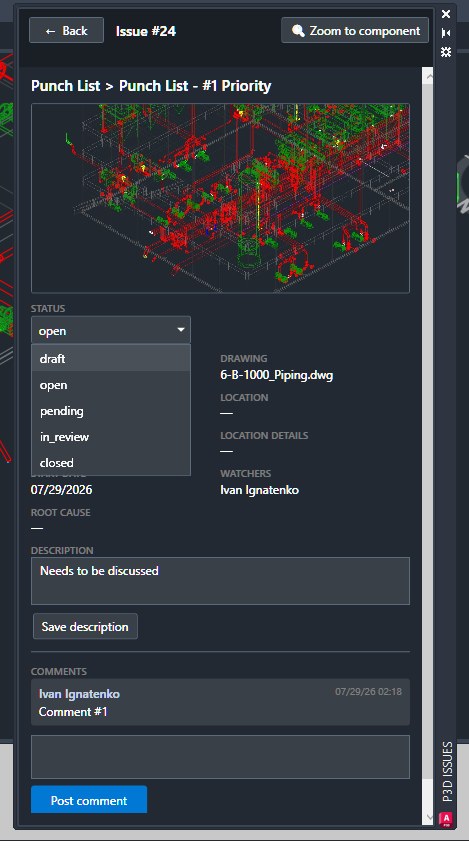
Set an issue's status from the palette. Only the transitions your project actually permits are offered.
Read and post comments
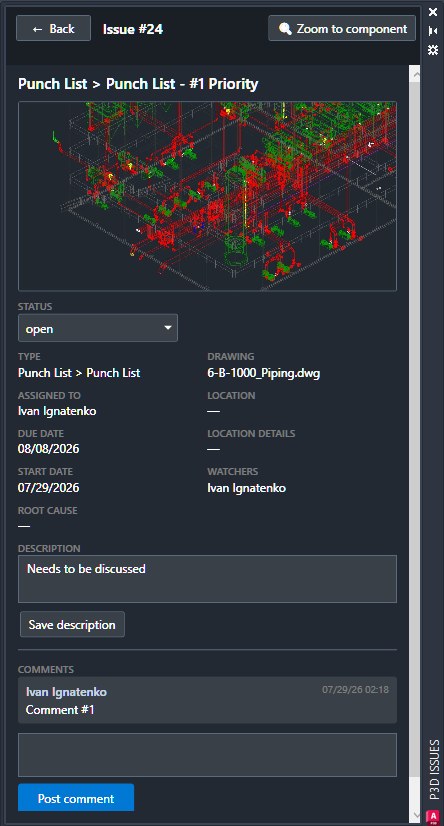
The whole thread, assignee, watchers and dates are in the palette — and you can reply without opening a browser.
Create issues from the model
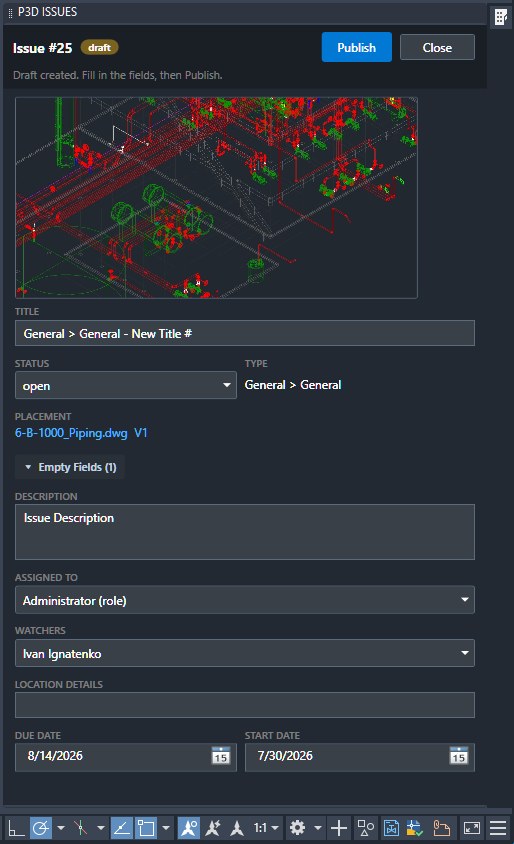
Pick a component in the drawing, fill in title, type, assignee and dates, and publish the issue straight to Autodesk Forma.
Search, filter and sort
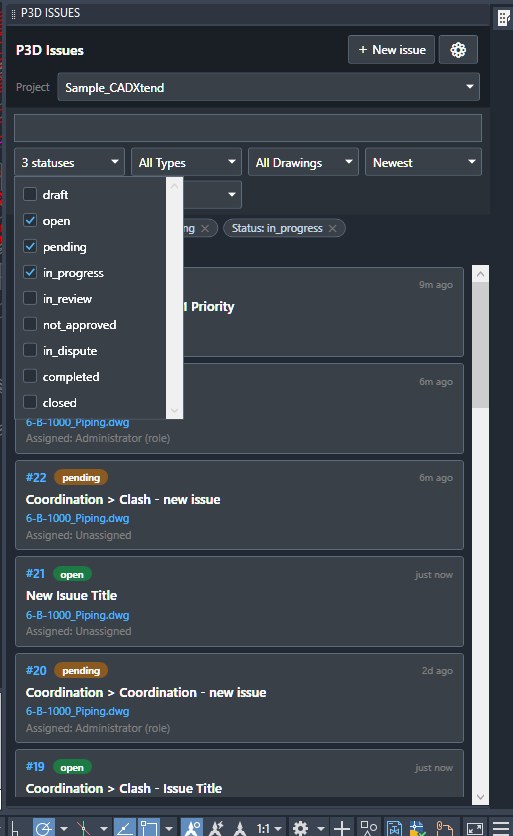
Work the whole list by status, type, drawing or assignee. Active filters show as chips you can remove one at a time.
Names and roles, not IDs
Assignee, watcher and @mention names resolve by role, so you read who it is rather than an account identifier.
See it in the model
CADXtend P3D Issues, running inside AutoCAD Plant 3D.
Questions engineers ask first
Which Plant 3D releases are supported?
AutoCAD Plant 3D 2025, 2026 and 2027. That range is what the shipped plug-in bundle declares; older releases run on a different .NET runtime and are not supported.
Do I need an Autodesk Forma subscription?
Yes. The plug-in reads and writes the issues in your existing Autodesk Forma project — the platform renamed from Autodesk Construction Cloud in March 2026. It does not replace that subscription, it saves you the trip to the browser.
Does my project data leave my machine?
Nothing is sent to CADXtend — there is no CADXtend server, no telemetry, no usage analytics and no crash reporting. The plug-in talks only to Autodesk, because that is where your issues live. The details are in the Privacy Policy.
How is it licensed?
Through Autodesk Marketplace, one license per seat. Start with a 30-day free trial — no payment up front — then $19 per month. Current options are on the Autodesk Marketplace listing.
How is it installed?
As a standard Autodesk application bundle — the installer places it where AutoCAD Plant 3D already looks for plug-ins, and the CADXtend tab appears on the ribbon the next time you start it. No manual loading, no changes to your project setup.
Does it need anything activated on the Autodesk side?
The core — the issue list, the record, comments, status changes, zoom-to-component and creating issues — works on your ordinary Autodesk sign-in. Resolving participant names and notifying by role uses the Autodesk Admin API, which a hub administrator activates once for your account.
Try it on your own project
Thirty days, your own Forma issues, your own drawings. Nothing to configure beyond the install.